
Overview
To access electronic Motor Vehicle Reports (MVRs) in the State of Utah, employers must complete a registration and approval process through Utah.gov. This article walks you through each step of that process, including how to designate Foley as your vendor once approved. This procedure is required by the Utah Driver License Division to ensure secure access to sensitive driver data.
Requirements
Before starting the registration process, make sure your organization meets the following criteria:
You are an employer that is DOT-regulated employer or are seeking MVR access for employment and compliance purposes.
You have authority to register your company on behalf of your organization.
You are prepared to agree to Utah’s data-sharing terms and conditions, valid for one year.
Step-by-Step Instructions
1. Apply for an Account on Utah.gov
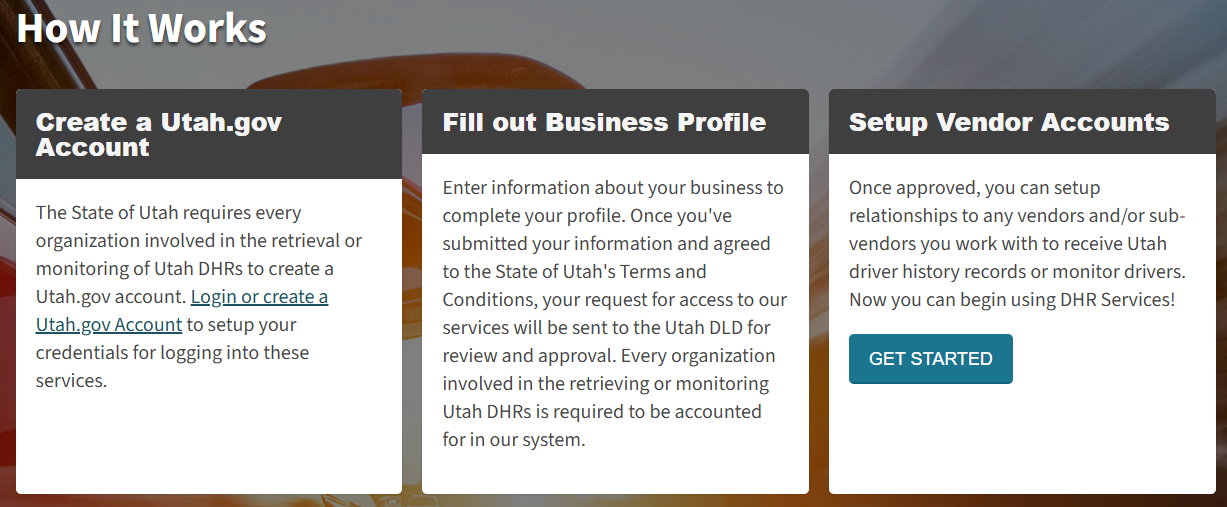
To begin, you must create an account for your organization with the State of Utah.
Go to the utah.gov account creation page and follow the prompts to sign up your organization.
Select the type of business that best matches your operations.
Review and agree to the Terms and Conditions. These are valid for one year and must be renewed annually.
Once submitted, your organization’s application will be reviewed by the Utah Driver License Division.
Important: You will receive an email once your account is either approved or denied. Be sure to monitor your inbox for status updates.
2. After State Approval
Once your application is approved:
Log back into Utah.gov.
Locate your approved application.
Proceed to the "Add Relationship" section to link your account with Foley.
3. Add Foley as Your Vendor
When adding a relationship, you must enter Foley's organization IDs. These can be provided by your Foley representative or support contact.
These IDs ensure your account is connected to Foley, who will then be able to retrieve your MVRs on your behalf as a part of your Driver File, MVR Monitoring, or ad-hoc MVR needs.
4. Final Step – Notify Foley
After you have added the relationship IDs provided:
Send your approved Utah.gov account number to your Foley representative or support contact.
This allows Foley to complete the MVR connection on their end.
FAQs
Q: How long does state approval take?
A: The Utah Driver License Division typically reviews applications within a few business days, but it may vary. Watch your email for updates.
Q: Do I need to renew my agreement?
A: Yes. The agreement with the State of Utah is valid for one year. You’ll receive a reminder from the State when it’s time to renew.
Q: What happens if I don’t add Foley as a vendor?
A: Foley will not be able to pull MVRs on your behalf unless the relationship is correctly established through the Utah.gov portal using the provided Org IDs.
Regulatory References
Utah Driver License Division – MVR Access Procedures
Utah.gov Portal Registration Terms and Conditions
Driver Privacy Protection Act (18 U.S.C. § 2721–2725)
Comments
Article is closed for comments.